
Windows 7: The Definitive Guide
The Essential Resource for Professionals and Power Users
Configure Windows 7, manage its features, protect data, and troubleshoot routine and advanced system issues.
- Themes
- Windows 7 system administration, Operating system configuration, Computer security and data protection
Windows 7 Management
Come here for
- Windows 7 setup, customization, performance tuning, and software management
- File security, digital media, networking, and system recovery
Expect
- Guidance on user accounts, disks, Group Policy, and the boot environment
- Coverage of printers, scanners, faxes, media libraries, and home networks
Where it sits
How strongly BookFrontier reads the book as belonging to each subject.
Nearest books
Matched by our semantic model. Ordered by what its readers also loved. Most of these share its genre: Windows Desktop.
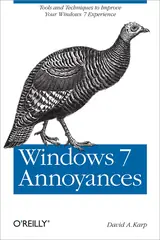 Windows 7 AnnoyancesDavid Karp73% subject matchAlso shares Windows Administration and Computer Resources
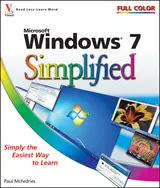 Windows 7 SimplifiedPaul McFedries72% subject match
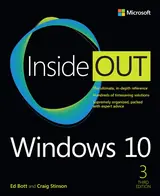 Windows 10 Inside OutEd Bott, Craig Stinson71% subject matchAlso shares Windows Administration and Computer Resources
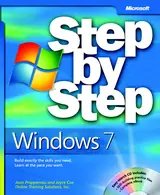 Windows 7 Step by StepJoan Lambert, Joyce Cox70% subject match
 Windows 7 For Dummies, Book + DVD BundleAndy Rathbone68% subject matchAlso shares Computer Resources
 Windows Internals, Part 2Mark E. Russinovich, Andrea Allievi67% subject matchAlso shares Windows Administration
 Troubleshooting with the Windows Sysinternals ToolsMark E. Russinovich, Aaron Margosis64% subject matchAlso shares Windows Administration
 Windows 10 For DummiesAndy Rathbone63% subject matchAlso shares Computer Resources
Start with three books, and this one can be the first.
Members get a new edition every morning: a route out from their books to essays, research and talks, with the reason for each.
Sign upAbout this book
This book provides everything you need to manage and maintain Windows 7. You'll learn all of the features and enhancements in complete detail, along with specifics for configuring the operating system to put you in full control. Bestselling author and Windows expert William Stanek doesn't just show you the steps you need to follow, he also tells you how features work, why they work, and how you can customize them to meet your needs.
Continue reading
Learn how to squeeze every bit of power out of Windows 7 to take full advantage of its features and programs.
- Set up, customize, and tune Windows 7-Optimize its appearance and performance, install and manage software, customize your hardware, and install printers, scanners, and faxes
- Manage your files and data-Search your computer more efficiently, secure your data, share and collaborate, and get the most out of optional programs such as Windows Live Mail
- Master your digital media-Create media libraries, manage digital pictures and videos, make DVDs, and create movies
- Get connected and start networking-Set up a home or small-office network, conquer Internet Explorer, and master on-the-go networking
- Protect your computer-Keep your family safe while on the Internet, navigate the computer security maze, and configure Windows 7's protection features
- Manage and support Windows 7 systems-Configure user accounts, disks and drives, troubleshoot and handle routine maintenance, and resolve advanced support and recovery issues
- Learn advanced tips & techniques-Manage the Windows boot environment, explore Group Policy, and much more
Publisher details
Publisher categories
- Computers
- Windows Desktop
- PC Hardware
- Internet & Web
- Authors
- William Stanek
- Publisher
- O'Reilly Media
- Published
- November 24, 2009
- Format
- Print & ebook
- Reading lane
- Computers