
Learn Windows 11 through visual, step-by-step guidance on its interface and everyday tasks.
- Themes
- Windows 11 basics, Files and user accounts, Web, media, and email
- Pacing
- Fast
Windows 11 Basics
Come here for
- Step-by-step screenshots and plain-English instructions
- Windows 11 basics, files, and user accounts
Expect
- Instructions for browsing the web, using media, and email
- Guidance on customizing how Windows looks and works
Where it sits
How strongly BookFrontier reads the book as belonging to each subject.
Nearest books
Matched by our semantic model. Ordered by what its readers also loved. Most of these share its genres: Windows Desktop and Computer Basics.
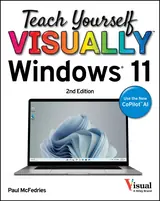 Teach Yourself VISUALLY Windows 11Paul McFedries84% subject match
 Windows 11 For Dummies, 2nd EditionAlan Simpson83% subject match
 Windows 11 All-in-One For Dummies, 2nd EditionCiprian Adrian Rusen82% subject match
 Windows 11 For DummiesAndy Rathbone80% subject match
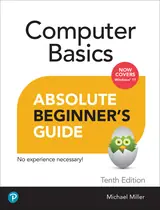 Computer Basics Absolute Beginner's Guide, Windows 11 EditionMichael Miller80% subject match
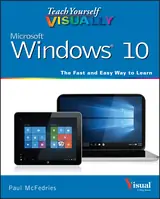 Teach Yourself VISUALLY Windows 10Paul McFedries76% subject match
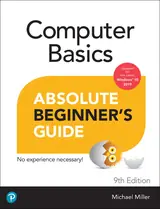 Computer Basics Absolute Beginner's Guide, Windows 10 EditionMichael R. Miller72% subject match
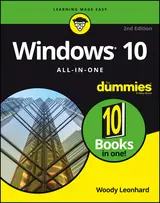 Windows 10 All-In-One For DummiesWoody Leonhard70% subject match
For younger readers: The Ultimate Driving Book
Start with three books, and this one can be the first.
Members get a new edition every morning: a route out from their books to essays, research and talks, with the reason for each.
Sign upAbout this book
Learn Windows 11 quickly and painlessly with this beginner's guide
Windows 11 Simplified, 2nd Edition is your absolute beginner's guide to the ins and outs of Windows. Fully updated to cover Windows 11 and the latest updates from Microsoft, this highly visual guide covers all the new features in addition to the basics, giving you a one-stop resource for complete Windows 11 mastery.
Continue reading
Every page features step-by-step screen shots and plain-English instructions that walk you through everything you need to know, no matter how new you are to Windows. You'll master the basics as you learn how to navigate the user interface, work with files, create user accounts, and practice using the tools that make Windows 11 the most efficient Windows upgrade yet.
This guide gets you up to speed quickly, with step-by-step screen shots that help you follow along with the clear, patient instruction.
- Shed your beginner status with easy-to-follow instructions
- Master the basics of the interface, files, and accounts
- Browse the web, use media features, and send and receive email
- Customize Windows to look and work the way you want
Learning new computer skills can be intimidating, but it doesn't have to be. Even if you have no Windows experience at all, this visually rich guide demonstrates everything you need to know, starting from the very beginning. If you're ready to become fluent in Windows, Windows 11 Simplified, 2nd Edition is the easiest, fastest way to learn.
Publisher details
Publisher categories
- Productivity Software
- Computer Basics
- Windows Desktop
- Authors
- Paul McFedries
- Publisher
- Wiley
- Published
- February 11, 2025
- Format
- Print & ebook
- Reading lane
- Productivity Software