
Windows 11 For Dummies
1st Edition
Practical Windows 11 guidance covers its interface, tools, apps, and troubleshooting.
- Themes
- Windows 11 navigation, Troubleshooting computer problems, Using Windows tools and apps
Windows 11 Tools
Come here for
- Getting around the Start menu and updated Windows 11 interface
- Finding files, customizing widgets, and connecting through Teams
Expect
- Help with user accounts, WiFi, and switching between devices
- Guidance on transferring photos from a phone to a hard drive
Where it sits
How strongly BookFrontier reads the book as belonging to each subject.
Nearest books
Matched by our semantic model. Ordered by what its readers also loved. Most of these share its genres: Windows Desktop and Computer Basics.
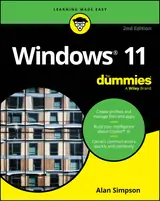 Windows 11 For Dummies, 2nd EditionAlan Simpson85% subject match
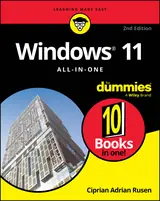 Windows 11 All-in-One For Dummies, 2nd EditionCiprian Adrian Rusen83% subject matchAlso shares Computer Resources
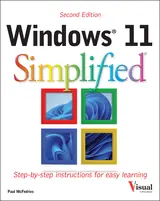 Windows 11 SimplifiedPaul McFedries80% subject match
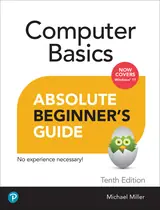 Computer Basics Absolute Beginner's Guide, Windows 11 EditionMichael Miller80% subject match
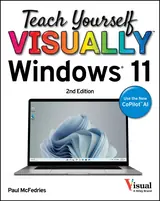 Teach Yourself VISUALLY Windows 11Paul McFedries78% subject match
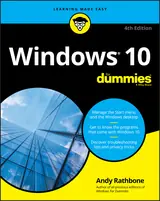 Windows 10 For DummiesAndy Rathbone76% subject matchAlso shares Computer Resources
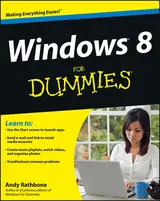 Windows 8 For DummiesAndy Rathbone74% subject matchAlso shares Computer Resources
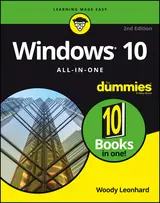 Windows 10 All-In-One For DummiesWoody Leonhard71% subject match
Start with three books, and this one can be the first.
Members get a new edition every morning: a route out from their books to essays, research and talks, with the reason for each.
Sign upAbout this book
Need Windows help? Find the latest tips and tricks in this perennial favorite on Windows
Windows 11 promises to be the fastest, most secure, and most flexible version of the Microsoft operating system yet. With a promise like that, of course you want to start using it, as quickly as possible! Windows 11 For Dummies gives you that speed, security, and flexibility by getting you up to date with the latest in Windows.
Continue reading
Windows expert and bestselling author Andy Rathbone gives you a helping hand by showing you how to get around the newly updated Windows 11 interface, how to use the new Windows tools like Teams and widgets, and how to use Android apps.
Your tour of Windows 11 starts with the Start menu and ends with how to troubleshoot when things go wrong. In between you find out how to find files on your hard drive, connect with friends and colleagues on Microsoft Teams, transfer photos from your phone to your hard drive, or switch between your desktop and laptop. Additional topics include:
- Navigating the Start menu
- Finding where your files are hiding
- Adding separate user accounts to keep your kids out of your business
- Connecting to a WiFi network
- Customizing your widgets
- Switching to a laptop or tablet
You know what you want to get done. Keep Windows 11 For Dummies by your desktop, laptop, and tablet, and you can open it at any time to find out how to get your Windows computer to do what you need.
Publisher details
Publisher categories
- Operating Systems
- Windows Desktop
- Windows Programming
- Authors
- Andy Rathbone
- Publisher
- Wiley
- Published
- November 24, 2021
- Format
- Print & ebook
- Reading lane
- Operating Systems