
Microsoft PowerPoint 2016 Step by Step
Series: Step by Step
Learn PowerPoint 2016 through brisk, illustrated lessons and guidance on specific procedures.
- Themes
- Learning PowerPoint 2016, Presentation design, Adding multimedia and data
- Pacing
- Fast
PowerPoint 2016 Skills
Come here for
- Step-by-step PowerPoint 2016 lessons with colorful screenshots
- Guidance on slide masters, layouts, graphics, and multimedia
Expect
- Practice with sample content or look up procedures
- Create presentations with audio, video, animation, tables, diagrams, and charts
Where it sits
How strongly BookFrontier reads the book as belonging to each subject.
Nearest books
Matched by our semantic model. Ordered by what its readers also loved.
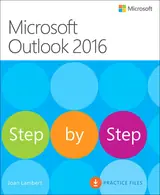 Microsoft Outlook 2016 Step by StepJoan Lambert69% subject matchShares Office Software
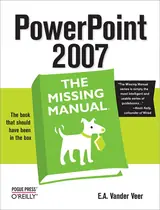 PowerPoint 2007: The Missing ManualE. Vander Veer64% subject matchShares Presentation Software and Office Software
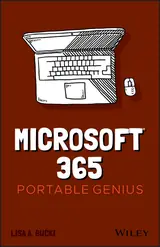 Microsoft 365 Portable GeniusLisa A. Bucki56% subject matchShares Office Software
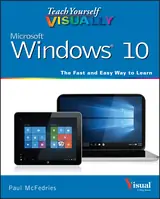 Teach Yourself VISUALLY Windows 10Paul McFedries52% subject match
 Teach Yourself VISUALLY Windows 11Paul McFedries52% subject match
 Mastering VBA for Microsoft Office 365Richard Mansfield52% subject matchShares Office Software
 Lend Me Your EarsMax Atkinson50% subject match
 Develop Your Presentation SkillsTheo Theobald50% subject match
For younger readers: Kindergarten Math With Confidence Student Workbook, Let's Say Our Colors, Math Made Simple
Start with three books, and this one can be the first.
Members get a new edition every morning: a route out from their books to essays, research and talks, with the reason for each.
Sign upAbout this book
Now in full color!
The quick way to learn Microsoft PowerPoint 2016!
This is learning made easy. Get more done quickly with PowerPoint 2016. Jump in wherever you need answers--brisk lessons and colorful screenshots show you exactly what to do, step by step.
- Get easy-to-follow guidance from a certified Microsoft Office Specialist Master
- Learn and practice new skills while working with sample content, or look up specific procedures
Continue reading
- Create attractive electronic presentations and printed publications
- Incorporate professional design elements
- Use built-in tools to capture and edit graphics
- Include audio, video, and animated elements
- Supercharge your efficiency by creating custom slide masters and layouts
- Present data in tables, diagrams, and charts
Publisher details
Publisher categories
- Presentation Software
- Desktop Applications / General
- Office Software
- Authors
- Joan Lambert
- Publisher
- Pearson Education
- Published
- December 28, 2015
- Format
- Print & ebook
- Reading lane
- Presentation Software