
Microsoft 365 Portable Genius
Series: Portable Genius
Practical guidance for creating, formatting, organizing, and sharing work across Microsoft 365 apps.
- Themes
- Microsoft 365 skills, Productivity, Document design
- Pacing
- Steady
Microsoft 365 Skills
Come here for
- Building Word documents, Excel workbooks, and PowerPoint presentations
- Working with Outlook email, contacts, and file sharing
Expect
- Separate tips for Word, Excel, PowerPoint, and Outlook
- Lists, tables, charts, themes, graphics, transitions, and animations
Where it sits
How strongly BookFrontier reads the book as belonging to each subject.
Nearest books
Matched by our semantic model. Ordered by what its readers also loved.
 Microsoft Visual C# Step by StepJohn Sharp53% subject match
 Multipliers, Revised and UpdatedLiz Wiseman49% subject match
 Microsoft 365 Excel For DummiesDavid H. Ringstrom68% subject matchShares Spreadsheet Software
 Mastering VBA for Microsoft Office 365Richard Mansfield62% subject matchShares Office Software
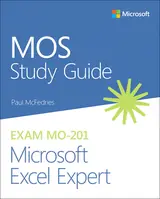 MOS Study Guide for Microsoft Excel Expert Exam MO-201Paul McFedries59% subject matchShares Spreadsheet Software
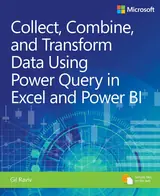 Collect, Combine, and Transform Data Using Power Query in Excel and Power BIGil Raviv59% subject matchShares Spreadsheet Software
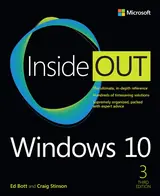 Windows 10 Inside OutEd Bott, Craig Stinson59% subject match
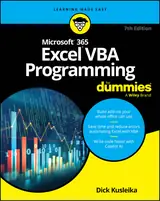 Microsoft 365 Excel VBA Programming For DummiesDick Kusleika57% subject matchShares Spreadsheet Software
For younger readers: Become an App Inventor: The Official Guide from MIT App Inventor
Start with three books, and this one can be the first.
Members get a new edition every morning: a route out from their books to essays, research and talks, with the reason for each.
Sign upAbout this book
Power up your proficiency with this genius guide to popular Microsoft 365 apps
Do you want to make your Microsoft 365 account a productivity behemoth? Do you want to squeeze every last bit of awesome from Word, Excel, and PowerPoint and learn a little more about Outlook, too? Microsoft 365 Portable Genius has got you covered.
Continue reading
A seasoned tech expert and trainer, author Lisa A. Bucki shows you how to build Word documents, Excel workbooks, and PowerPoint presentations the right way, as well as how to use high-impact design techniques to make your documents pop.
This book answers 11 key questions about how to make the most of Microsoft 365, providing genius tips as it leads you through the essentials. You’ll learn how to:
- Tackle common skills like creating files, adding basic content, navigating in a file, making selections, copying and moving content, and saving files
- Build a new Word document by using outlining, bullets and numbering, columns, and other features for creating and enhancing content
- Enhance Excel workbook files by organizing data on different sheets, filling entries, creating range names, and entering powerful, accurate formulas
- Develop a PowerPoint presentation by choosing the right layout for each slide and adding content to placeholders, and then transform it into an on-screen show with transitions and animations
- Add punchy design and branding by using text formatting, themes, and graphics in your files
- Use lists, tables, and charts to make data easier to interpret
- Create, send, reply to, and organize email in Outlook, as well as add contacts Share file contents on paper or digitally
- Check out the Online Bonus Appendix at Wiley for more genius coverage of topics including additional Excel formula review techniques, essential Excel functions, theme colors and fonts changes, and WordArt
Whether you have used Office in the past or are new to its subscription successor Microsoft 365, Microsoft 365 Portable Genius provides the expert guidance you need to work smarter in Microsoft 365.
Publisher details
Publisher categories
- Spreadsheet Software
- Word Processing
- Office Software
- Authors
- Lisa A. Bucki
- Publisher
- Wiley
- Published
- February 3, 2021
- Format
- Print & ebook
- Reading lane
- Spreadsheet Software