
Microsoft 365 Excel VBA Programming For Dummies
Learn VBA coding, automate Excel tasks, manage macro security, and explore Copilot AI integration.
- Themes
- VBA programming and macros, Excel task automation, Integration with other Microsoft apps
Excel VBA Macros
Come here for
- VBA coding basics and syntax for writing Excel macros
- Automating data management, user forms, and pivot tables
Expect
- Step-by-step instructions for writing and running scripts
- Coverage of advanced VBA functions and integration with other Microsoft apps
Where it sits
How strongly BookFrontier reads the book as belonging to each subject.
Nearest books
Matched by our semantic model. Ordered by what its readers also loved.
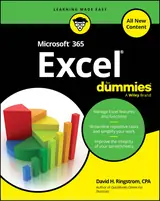 Microsoft 365 Excel For DummiesDavid H. Ringstrom77% subject matchShares Spreadsheet Software
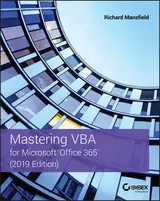 Mastering VBA for Microsoft Office 365Richard Mansfield72% subject matchShares Visual Basic Programming and Windows Programming
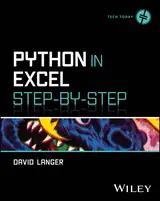 Python in Excel Step-by-StepDavid Langer63% subject matchShares Spreadsheet Software
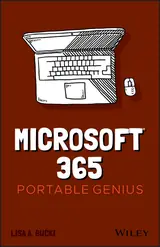 Microsoft 365 Portable GeniusLisa A. Bucki57% subject matchShares Spreadsheet Software
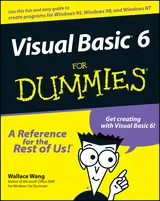 Visual Basic 6 For DummiesWallace Wang57% subject matchShares Visual Basic Programming and Windows Programming
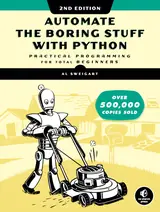 Automate the Boring Stuff with Python, 2nd EditionAl Sweigart55% subject match
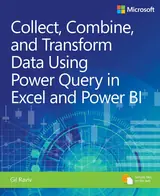 Collect, Combine, and Transform Data Using Power Query in Excel and Power BIGil Raviv55% subject matchShares Spreadsheet Software
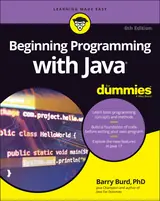 Beginning Programming with Java For DummiesBarry Burd54% subject match
Start with three books, and this one can be the first.
Members get a new edition every morning: a route out from their books to essays, research and talks, with the reason for each.
Sign upAbout this book
Your step-by-step guide to doing more with Microsoft Excel
Fully updated for the latest version of Office 365, Excel VBA Programming For Dummies will take your Excel knowledge to the next level. With a little background in Visual Basic for Applications (VBA) programming, you can go well beyond basic spreadsheets and functions. Learn the coding basics and syntax you need to write simple or complex macros that can automate your routine Excel tasks.
Continue reading
Become an Excel power user by automating data management, user forms, pivot tables, and beyond. When you use VBA to perform Excel operations, you can reduce errors, save time, and integrate with other Microsoft applications. This handy guide also teaches you how to control the security settings for your macros and save macros to use across files and apps. Plus, you'll get updated coverage of Copilot AI integration. Your spreadsheets are about to get much more powerful.
- Get stared with VBA coding to create macros and automate tasks in Excel
- Follow step-by-step instructions to write and execute your first scripts
- Learn about the advanced functions available with the VBA language
- Perform tasks faster and integrate excel with other Microsoft apps
This Dummies guide is right up your alley if you're an Excel user looking to learn some next-level features. Students and professionals alike will reap the benefits of automation, thanks to Excel VBA Programming For Dummies.
Publisher details
Publisher categories
- Windows Programming
- Spreadsheet Software
- Office Software
- Authors
- Dick Kusleika
- Publisher
- Wiley
- Published
- February 11, 2025
- Format
- Print & ebook
- Reading lane
- Windows Programming