
Windows 10 For Seniors For Dummies
3rd Edition
Learn Windows 10 basics through plain-language guidance, large-print text, and helpful images.
- Themes
- Windows 10 basics, Photos, games, and social media, Computer security and maintenance
Windows 10 Basics
Come here for
- Step-by-step Windows 10 basics in plain language
- Guidance on pictures, games, social media, security, and maintenance
Expect
- Working with Windows 10 on any device
- Separate guidance on pictures, games, social media, security, and routine maintenance
Where it sits
How strongly BookFrontier reads the book as belonging to each subject.
Nearest books
Matched by our semantic model. Ordered by what its readers also loved. Most of these share its genres: Windows Desktop and Computer Basics.
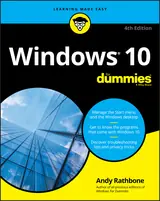 Windows 10 For DummiesAndy Rathbone78% subject matchAlso shares Computer Resources
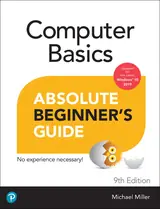 Computer Basics Absolute Beginner's Guide, Windows 10 EditionMichael R. Miller72% subject match
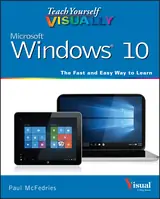 Teach Yourself VISUALLY Windows 10Paul McFedries73% subject matchAlso shares Computer Resources
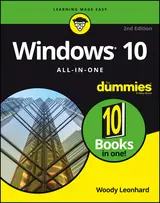 Windows 10 All-In-One For DummiesWoody Leonhard75% subject match
 Windows 8.1 For Dummies Book + DVD BundleAndy Rathbone63% subject matchAlso shares Computer Resources
 Windows 8: The Missing ManualDavid Pogue59% subject matchAlso shares Computer Resources
 Windows 8.1 For Seniors For DummiesPeter Weverka, Mark Justice Hinton77% subject match
 Computers For Seniors For DummiesFaithe Wempen74% subject match
Start with three books, and this one can be the first.
Members get a new edition every morning: a route out from their books to essays, research and talks, with the reason for each.
Sign upAbout this book
Get up to speed on Windows 10
With Windows 10 For Seniors For Dummies, getting familiar with Windows 10 is a painless process. If you're interested in learning the basics of this operating system without having to dig through confusing computer jargon, look no further.
Continue reading
This book uses a step-by-step approach that is specifically designed to assist first-time Windows 10 users who are over-50, providing easy-to-understand language, large-print text, and an abundance of helpful images along the way!
- Work with Windows 10 on any device
- Upload, edit, and download pictures
- Play games and enjoy social media
- Keep your system secure
- Perform routine maintenance
If you’ve just purchased your first computer or upgraded to a new model, Windows 10 For Seniors For Dummies offers everything you need to make the transition as smooth as possible!
Publisher details
Publisher categories
- Windows Desktop
- Authors
- Peter Weverka
- Publisher
- Wiley
- Published
- May 22, 2018
- Format
- Print & ebook
- Reading lane
- Windows Desktop